
Bit library
Bits → Bits … opens the library with almost 150 common bits plus your own. In the cut popup or Properties, clicking the bit field opens the same library to pick from.
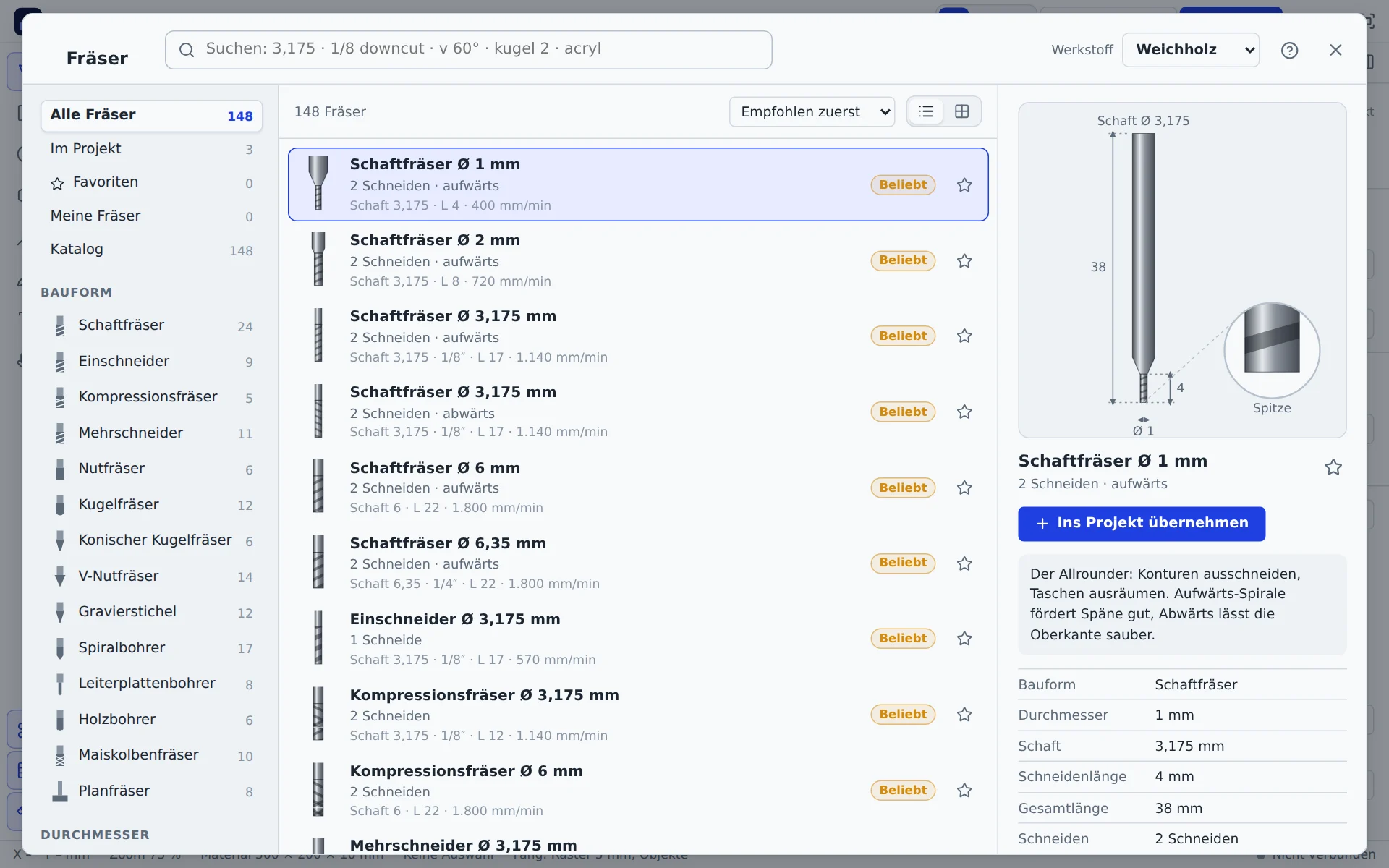
The search understands sizes and terms: 3.175, 1/8 downcut, v 60°, ball 2, 2 flutes, acrylic. If there is no exact match, it shows similar sizes. On the left you filter by source (in project, favourites, my bits, catalogue), type, diameter, shank and flutes.
The detail view draws the bit to scale, checks whether the shank fits your machine's collet and lists cutting data per material.
| Type | Use |
|---|---|
| End mill | Contours, pockets, cut-outs; upcut for chip clearance, downcut for clean top edges, compression for both |
| Single flute | Acrylic and aluminium |
| V-bit | Engraving, lettering, chamfers |
| Ball nose | Curves, reliefs |
| Drill | Holes in one plunge |
Your own bits
Own bit creates a bit of your own: type, diameter, flute length, shank, flutes and, for V-bits, the angle. Rules of thumb pre-fills cutting data based on the diameter. Your bits are stored in your account.
Cutting data
Bits → Cutting data … or the Cutting data button in the cut settings shows a cross-section with all passes for each bit in the drawing. The values belong to the bit in the project and apply to every shape that uses it.
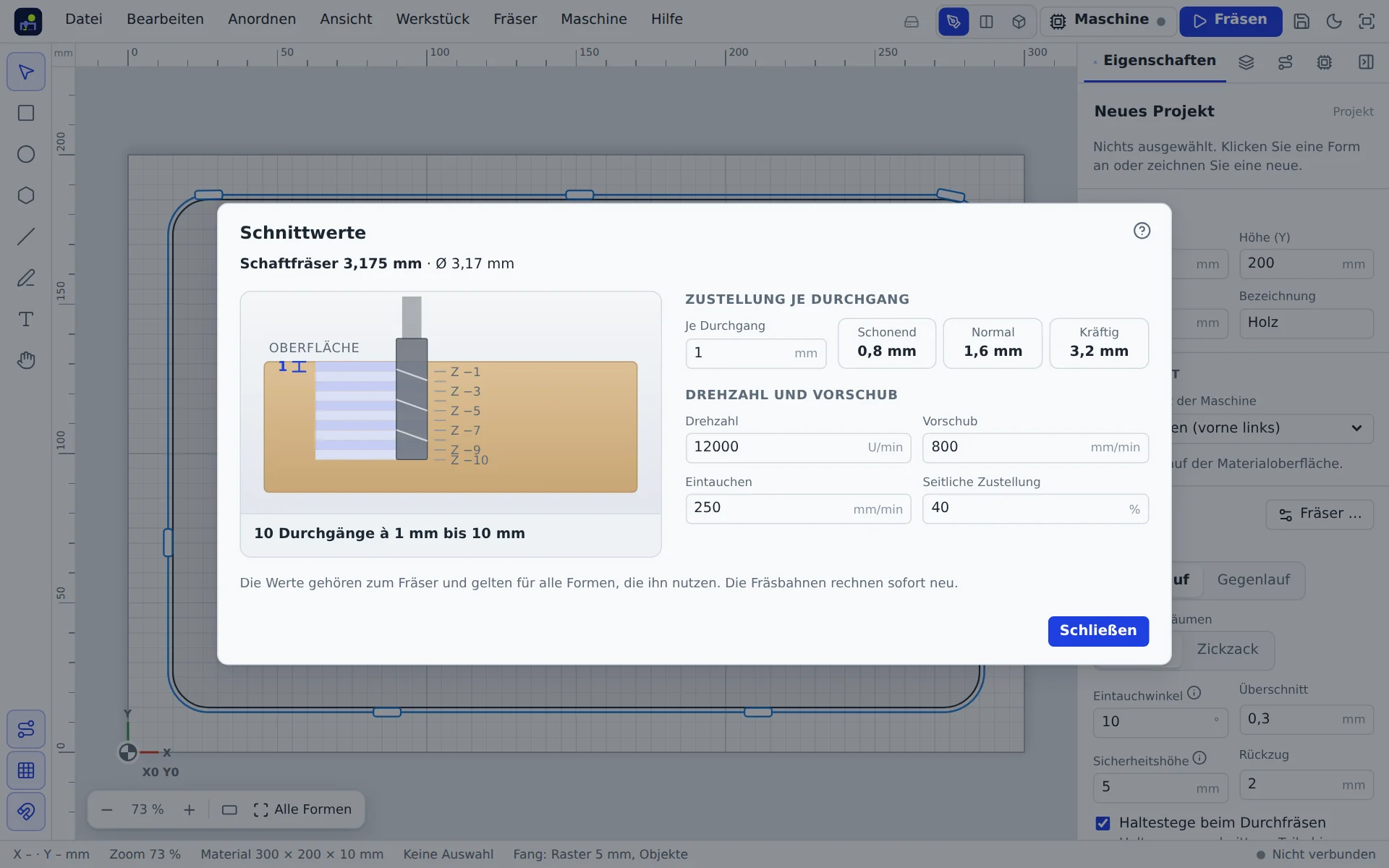
Step down per pass
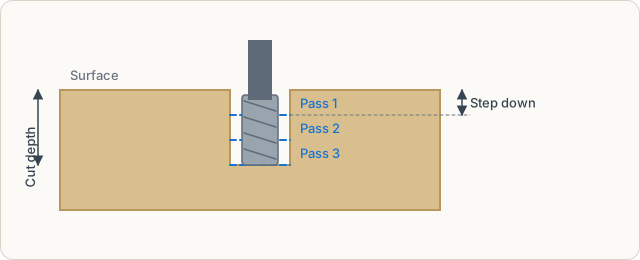
How deep the bit goes in each pass. The app splits the cut depth into equal passes. Suggestions by diameter:
| Suggestion | Step down | When |
|---|---|---|
| Gentle | ¼ × diameter | small machines, hard materials, fine bits |
| Normal | ½ × diameter | wood and plastic on sturdy hobby machines |
| Strong | 1 × diameter | soft material, rigid machine |
If the step down is deeper than the flutes, the app warns you: the shank would rub.
Spindle speed
Revolutions of the spindle per minute. The app converts the recommendation to your machine's maximum speed so each flute removes the same amount. For spindles without speed control you set the speed on the dial; the app reminds you before the start.
Feed rate
How fast the bit moves sideways through the material, in mm/min. Too slow heats bit and material (burn marks, melted plastic), too fast overloads it. Below the field you see the chip load per flute. For small bits it should be about 1 % of the diameter.
Plunge rate
Speed going down into the material, usually a third to half of the feed rate. With a plunge angle the bit ramps in (Plunge angle).
Stepover
Distance between passes when clearing pockets, as a percentage of the diameter. 40 % is a good value.
Guides
Bits → Guides … opens the CNC guides in a window of their own, even without internet:
- Feeds and speeds: starting values for ten materials with a reference bit, chip load and the terms explained. For each material every suitable bit from the catalogue plus practical tips, for example for aluminium. If a machine with a maximum spindle speed is set up, the guides convert the values to it.
- Router bit types: every bit type with picture, use, materials and sizes, plus spiral direction and tool material.
Clicking a bit shows it in the bit library; Guides in the library leads back. The same content is on the web at mywerkzeug.de/cnc/en/guides/.