
Place text
Choose the text tool (T) and click on the canvas. A text appears and the text field is ready; just start typing. Enter starts a new line, Esc ends the input. Double-click a text to edit it again.
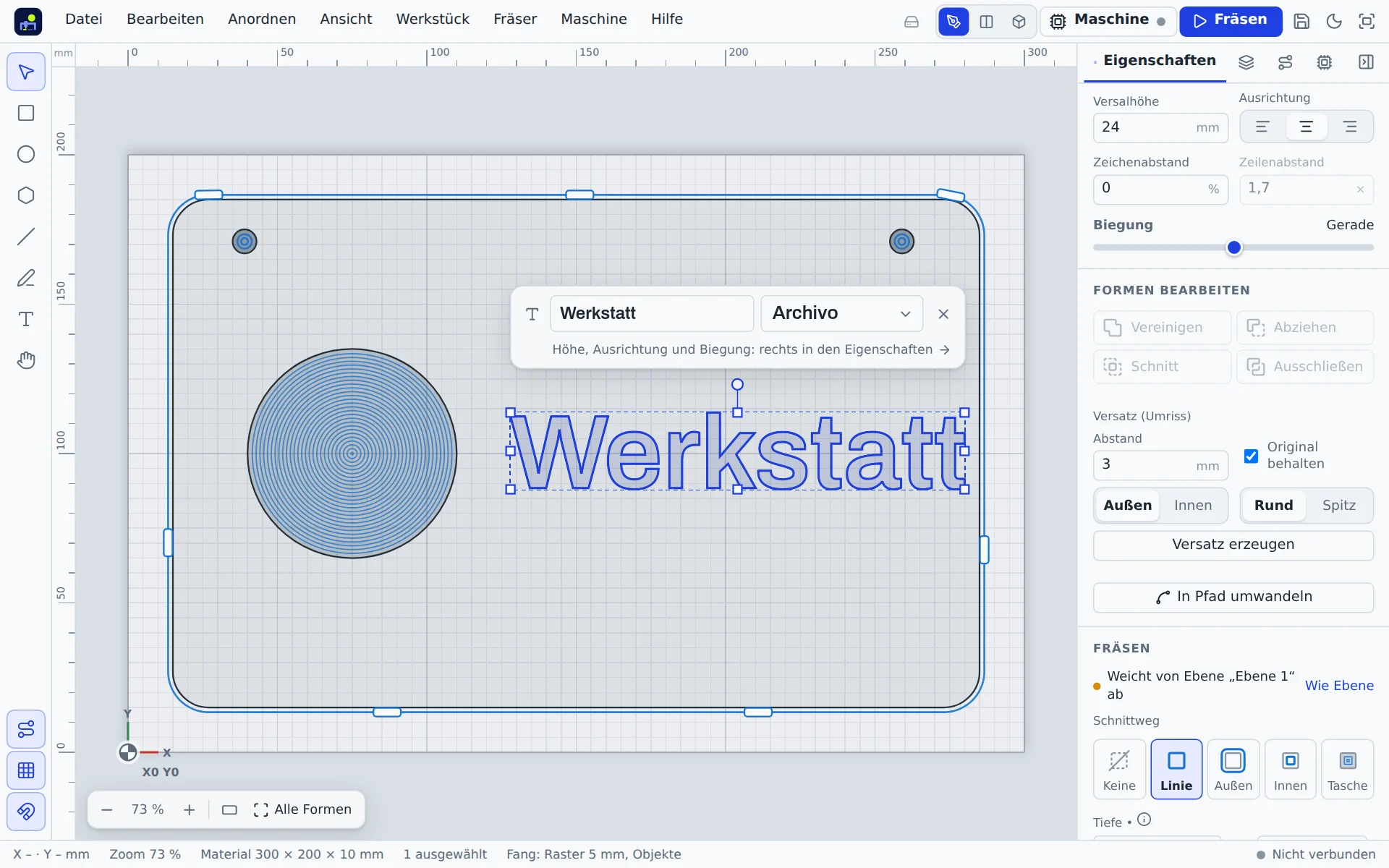
Text bar
When exactly one text is selected, a slim bar with a text field and font picker floats above it. More options are on the right under Properties. Switch the bar off under View → Text bar at selection.
Font and size
- Font: the list shows your text in every font, grouped into clean, serif, script, handwriting, stencil and your own. 18 free fonts are included.
- Cap height: height of a capital “H” in mm. This is how signs are planned: 20 mm cap height means 20 mm tall capitals.
- Alignment: left, centre or right.
- Letter spacing and line spacing.
Bend
Bend places the text on an arc, from −360° to 360°. Positive values curve upwards. Straight resets it.
Your own fonts
In the font list, Add your own font … adds TTF, OTF or WOFF files. They are stored only in this device's browser. The outlines are saved in the project, so the text looks the same everywhere; it can only be edited where the font is available. WOFF2 is not supported.
Single-line engraving fonts
The Single-line (engraving) group holds five stroke fonts: Block, Block bold, Serif, Script and Gothic. Every letter is made of lines the bit follows once instead of clearing an area. That gives fine, fast engravings with a ball, engraving or V bit, also on metal, acrylic and leather, and suits stencils and labelling. Set the cut type to On the line; the bit then decides the stroke width. Umlauts, ß, ° and € are included. The shapes come from the Hershey fonts (free to use with credit to the authors, see below).
Source: The Hershey Fonts were created by Dr. A. V. Hershey at the U.S. National Bureau of Standards; the data format is by James Hurt (Cognition, Inc.).
Cutting
Text is a normal shape: engrave on the line, pocket for recessed letters or outside to cut letters out. Overlapping letters of a script font are merged into one clean area automatically. Convert to path turns it into plain outlines.